Business Automation for UK SMEs: What to Automate, How to Start, and What It Costs
The complete guide to business automation for UK small businesses — from quick wins to custom solutions.
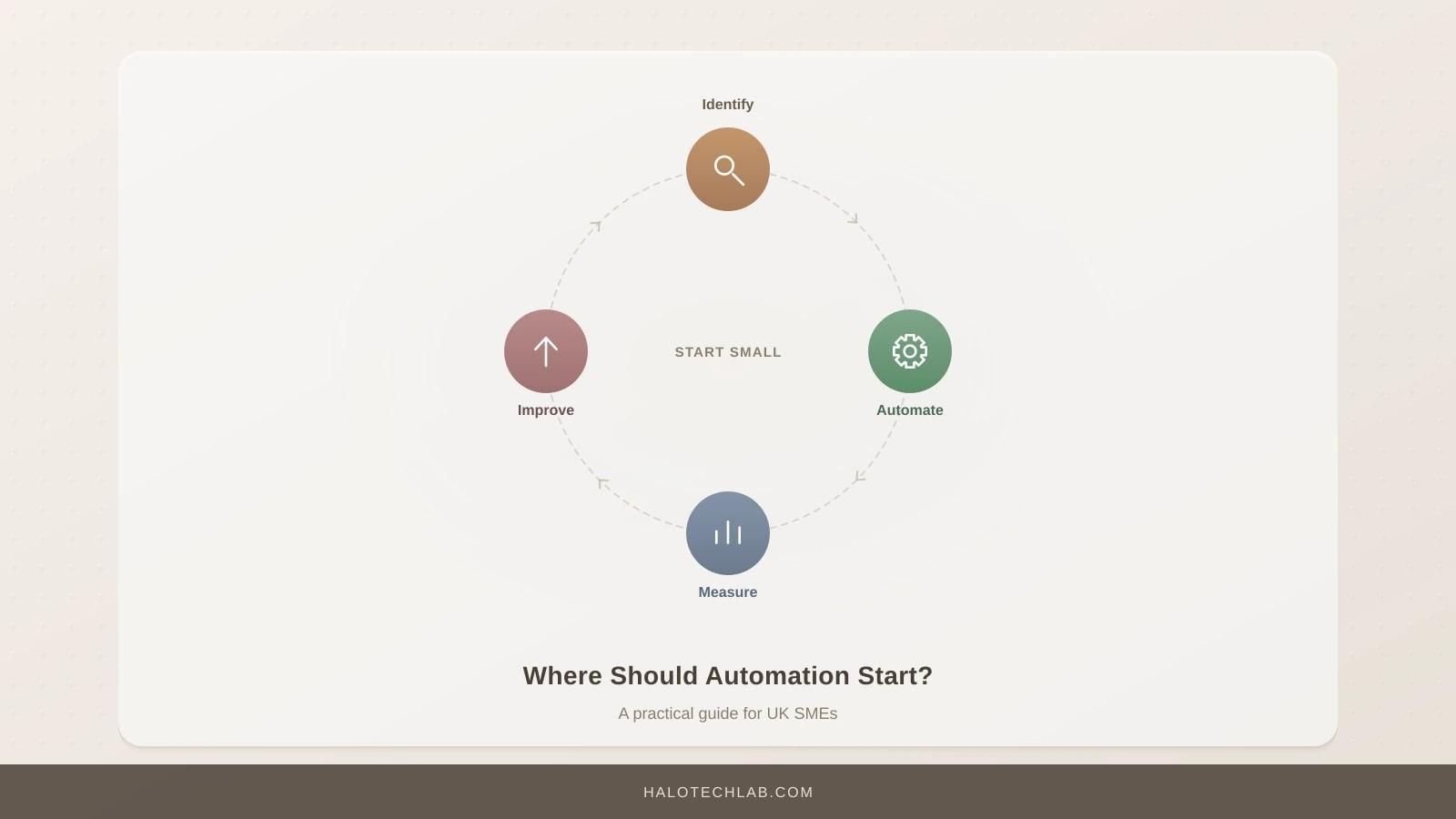
How many hours did your team spend this week copying data between spreadsheets, sending follow-up emails, chasing invoices, or updating your CRM? If the honest answer makes you wince, you are not alone. Research from the UK Department for Business and Trade suggests that small and medium enterprises lose an average of 22 hours per employee per month on tasks that could be partially or fully automated.
That is not just wasted time. It is wasted money, wasted morale, and wasted opportunity.
This guide is designed for UK business owners and operations leaders who know automation could help but are not sure where to begin. We will cover everything from the basics of what automation actually means in practice, through to specific tools, realistic costs, and a step-by-step approach for getting started without breaking the bank or overwhelming your team.
If you encounter any technical terms along the way, our AI jargon glossary has plain-English definitions.
What Business Automation Actually Means (No Jargon, We Promise)
Let us strip away the buzzwords. Business automation simply means using software to perform repetitive tasks that a human currently does manually. That is it.
Think of it like setting up a series of dominoes. When the first one falls -- say, a customer fills in a contact form on your website -- the rest happen automatically: their details get added to your CRM, a welcome email goes out, a task gets created for your sales team, and a Slack notification pings your account manager. No one had to copy, paste, or remember anything.
The key distinction is between automation and artificial intelligence. Automation follows rules you define: "When X happens, do Y." AI makes judgements: "Based on this email, it is probably a complaint, so route it to customer service." Modern automation platforms increasingly blend both, but the foundation is rule-based workflows that connect your existing tools.
This is not about replacing your team. It is about freeing them from the tasks they quietly dread so they can focus on work that actually requires human judgement, creativity, and relationship-building.
What Can You Actually Automate?
More than you might think. Here is a practical breakdown of the most common automation opportunities for UK SMEs, organised by business function.
Sales and Lead Management
- Automatically capture leads from your website, social media, and email into your CRM
- Send personalised follow-up email sequences based on what a prospect downloaded or viewed
- Score and prioritise leads so your sales team focuses on the hottest opportunities
- Move deals through pipeline stages based on activity triggers
- Generate quotes from templates when a sales rep fills in key details
For a deeper look at CRM automation specifically, see our guide to CRM automation for small teams.
Finance and Invoicing
- Generate and send invoices automatically when a project milestone is reached
- Chase overdue payments with escalating reminder sequences
- Categorise expenses from bank feeds
- Reconcile payments against invoices
- Produce weekly or monthly financial summary reports
We cover this in detail in automating your invoicing and finance.
Customer Communication
- Sort and prioritise incoming emails automatically
- Send templated responses to common enquiries
- Trigger onboarding email sequences when a new client signs up
- Sync customer interactions between email, CRM, and support tools
- Schedule follow-up reminders based on conversation outcomes
Our guide to email triage automation walks through this step by step.
Marketing and Content
- Schedule social media posts across multiple platforms from a single calendar
- Cross-post content automatically (e.g., blog to LinkedIn to newsletter)
- Generate analytics reports and send them to stakeholders weekly
- Recycle top-performing content on a schedule
See our guide on social media automation for the full breakdown.
Operations and Administration
- Sync data between tools that do not natively talk to each other
- Generate reports from multiple data sources on a schedule
- Automate appointment booking and calendar management
- Create and assign tasks in project management tools based on triggers
- Onboard new employees with automated document collection and account provisioning
For a prioritised list, see 7 business processes every SME should automate first.
No-Code, Low-Code, or Custom: Which Approach Is Right for You?
This is one of the most important decisions you will make, and getting it wrong can cost you months and thousands of pounds. Let us break down the three main approaches.
No-Code Automation Platforms
Tools like Zapier, Make, and n8n let you build automations by connecting apps visually, without writing a single line of code. You drag and drop triggers, actions, and conditions to create workflows.
Best for: Straightforward connections between popular apps (e.g., "When a form is submitted in Typeform, create a contact in HubSpot and send a welcome email via Mailchimp"). Most SMEs should start here.
Typical cost: £20-200 per month depending on the platform and volume.
Limitations: They struggle with complex logic, high-volume data processing, or connecting to tools that do not have pre-built integrations. You are also dependent on the platform's pricing and reliability.
Low-Code Solutions
Platforms like Retool, Appsmith, or Microsoft Power Automate sit between no-code and full custom development. They provide visual builders but allow you to add custom code where needed.
Best for: Businesses with slightly more complex requirements, internal tools, or team members who are comfortable with basic scripting.
Typical cost: £30-500 per month, plus potential development time.
Custom-Built Automations
When your requirements are genuinely complex -- high data volumes, intricate business logic, deep integrations with proprietary systems, or strict compliance requirements -- custom development is the answer. This means a developer writes code (typically Python, Node.js, or similar) that runs on your own infrastructure or in the cloud.
Best for: Businesses processing thousands of transactions daily, those with unique workflows that no-code tools cannot handle, or regulated industries requiring full audit trails. Our work on the SYAA project, which automated operations for a network of 200+ AI agencies, required custom-built pipelines precisely because the scale and complexity exceeded what any no-code tool could handle.
Typical cost: £3,000-30,000+ for initial build, plus ongoing maintenance.
For a detailed decision framework, read our guide on when to use no-code vs custom code.
How Much Does Automation Actually Cost?
Let us talk real numbers. UK SMEs typically fall into one of three investment tiers.
Tier 1: Quick Wins (£0-200/month)
Using free or entry-level plans on no-code platforms to automate 5-10 simple workflows. This is where most businesses should start.
Examples: Auto-forwarding form submissions to a spreadsheet, sending welcome emails, posting social media on a schedule, syncing contacts between tools.
Expected time saving: 5-15 hours per month.
ROI timeline: Immediate to 1 month.
Tier 2: Integrated Workflows (£200-1,000/month)
Multiple interconnected automations across departments, potentially using paid tiers of no-code tools or a mix of no-code and light custom work.
Examples: End-to-end lead nurturing from website visit to closed deal, automated invoicing and payment chasing, multi-channel customer onboarding sequences.
Expected time saving: 30-80 hours per month.
ROI timeline: 1-3 months.
Tier 3: Custom Solutions (£3,000-30,000+ one-off, plus £200-1,000/month maintenance)
Purpose-built automations for complex, high-volume, or compliance-sensitive processes. Often combined with AI for intelligent decision-making.
Examples: Automated document processing with AI extraction, custom API integrations between legacy systems, intelligent routing and prioritisation engines. Our work with Prezien, a pitch deck platform, involved building custom automation workflows that connected design tools, AI generation, and client delivery into a seamless pipeline.
Expected time saving: 100+ hours per month.
ROI timeline: 3-6 months.
For a detailed approach to measuring returns, see our guide on how to calculate automation ROI.
The Real ROI: More Than Just Time Saved
When most people think about automation ROI, they think about hours saved. That matters, but it is only part of the picture.
Error Reduction
Manual data entry has an error rate of roughly 1-3%. That might sound small until you consider what a mistyped invoice amount, a missed follow-up, or an incorrectly categorised expense actually costs your business. Automation does not get tired, distracted, or rush before lunch.
Speed of Response
An automated welcome email arrives in seconds. A manually written one arrives in hours, if it arrives at all. Research consistently shows that responding to a sales enquiry within 5 minutes makes you 21 times more likely to qualify the lead compared to waiting 30 minutes. Automation makes instant response the default, not the exception.
Employee Satisfaction
This is the underrated benefit. Your team did not join your company to copy and paste data or chase invoices. When you automate the drudgery, people have more time for meaningful work. That translates directly into lower turnover, better customer interactions, and more creative problem-solving.
Scalability
Here is the real magic: automated processes scale without proportional headcount increases. If your business grows from 50 to 500 customers, your automated onboarding sequence handles the load without breaking a sweat. Your manual process would need three more people.
Consistency and Compliance
Every automated process runs the same way, every time. That matters enormously for compliance (think GDPR data handling, financial audit trails, or regulated communications) and for customer experience. No one falls through the cracks.
The Five Most Common Automation Mistakes (and How to Avoid Them)
We have helped dozens of UK businesses implement automation. These are the mistakes we see most often.
Mistake 1: Automating a Broken Process
If your current process is chaotic, automating it just creates automated chaos. Before you automate anything, map out the process as it should work. Fix the logic first, then automate it.
The fix: Spend an hour documenting the process step by step. Ask: "If I were explaining this to a new hire, what would they need to know?" That document becomes your automation blueprint.
Mistake 2: Trying to Automate Everything at Once
Ambition is good. Trying to automate your entire business in one go is not. Start with one process, prove the value, then expand. We have seen businesses buy enterprise automation platforms before they have automated a single workflow.
The fix: Pick your single most painful, repetitive, time-consuming manual process. Automate that one thing. Measure the result. Then move to the next.
Mistake 3: Ignoring the Human Handoff
Not every step in a process should be automated. The best automations blend automated steps with human decision points. An automated system can flag a customer complaint, but a human should decide how to respond to it.
The fix: For every automation, identify where human judgement adds value and build in explicit handoff points. Notifications, approval steps, and review queues are your friends.
Mistake 4: Not Monitoring After Launch
Automations are not "set and forget." Tools update their APIs, data formats change, edge cases emerge, and business requirements evolve. An automation that worked perfectly six months ago might be silently failing today.
The fix: Build in monitoring from day one. Set up alerts for failures, review automation logs monthly, and schedule a quarterly review of all active automations.
Mistake 5: Choosing Tools Before Defining Requirements
"We should use Zapier" is not a strategy. "We need to automatically send a follow-up email three days after a proposal is sent, unless the prospect has already replied" is a requirement. Start with what you need, then choose the tool that best delivers it.
The fix: Write down your requirements in plain English before evaluating any tools. Include volume estimates, frequency, data sensitivity, and integration needs.
How to Get Started: A Practical Step-by-Step Framework
Ready to begin? Here is the approach we recommend to every UK SME.
Step 1: Audit Your Current Processes (Week 1)
Ask every team member: "What repetitive task do you spend the most time on?" and "What task do you wish someone else would handle?" Compile the answers into a simple list.
For each item, note:
- How often it happens (daily, weekly, monthly)
- How long it takes each time
- How many people are involved
- What tools are currently used
- What errors or delays commonly occur
Step 2: Prioritise by Impact and Feasibility (Week 1-2)
Score each process on two dimensions: impact (time saved multiplied by frequency) and feasibility (how straightforward it is to automate). Plot them on a simple 2x2 grid. Start with high-impact, high-feasibility items.
Step 3: Map the Target Process (Week 2)
For your top-priority process, document exactly how it should work in its automated form. Define the trigger (what starts the process), each step, the data that flows between steps, and the expected outcome. Identify where human review is needed.
Step 4: Choose Your Tools (Week 2-3)
Based on your requirements, select the appropriate tool. For most SMEs starting out, a no-code platform like Zapier or Make is the right choice. For more complex needs, consider whether a custom solution is warranted.
Our comparison of n8n, Zapier, and Make can help you choose.
Step 5: Build and Test (Week 3-4)
Build your automation, then test it thoroughly with real data. Check edge cases: what happens when a field is empty, when a duplicate entry arrives, or when an external service is down? Test failure scenarios, not just happy paths.
Step 6: Launch, Monitor, and Iterate (Week 4+)
Roll out to a small group first if possible. Monitor closely for the first two weeks. Gather feedback, fix issues, and refine. Then expand.
Step 7: Document and Scale
Document what you built, why, and how to maintain it. This is critical for when team members change or when you want to build similar automations elsewhere. Then pick your next process and repeat.
Industry-Specific Automation Opportunities
Different industries have different automation sweet spots. Here are some of the most impactful we have seen across UK SMEs.
Professional Services (Accountants, Solicitors, Consultants)
- Client onboarding document collection and verification
- Time tracking to invoicing pipeline
- Regulatory filing reminders and deadline tracking
- Client report generation from template + data
Retail and E-Commerce
- Order confirmation and dispatch notifications
- Inventory level alerts and reorder triggers
- Review request emails post-delivery
- Returns processing workflow
Construction and Trades
- Quote generation from site survey data
- Job scheduling and crew notifications
- Compliance documentation collection
- Progress photo logging and client updates
Healthcare and Wellness
- Appointment reminders and rescheduling
- Patient intake form processing
- Follow-up care sequence emails
- Insurance documentation automation
What Automation Cannot Do (Yet)
It is important to be honest about limitations. Automation is brilliant at structured, repetitive, rule-based tasks. It struggles with:
- Genuine creativity: It can schedule your social media, but it cannot develop your brand strategy.
- Complex negotiation: It can send a follow-up email, but it cannot navigate a sensitive client conversation.
- Ambiguous decision-making: When the "right" answer depends on context, nuance, and experience, you still need a human.
- Relationship building: Automation supports relationships by freeing up time, but the relationship itself is fundamentally human.
The businesses that get the best results from automation are the ones that use it to amplify human strengths rather than replace human judgement.
Getting Expert Help
If your automation needs are straightforward -- connecting a few tools with simple logic -- you can absolutely do this yourself with a no-code platform and a weekend's worth of learning.
If you are dealing with complex workflows, high data volumes, multiple integrations, or processes that are critical to your business operations, working with specialists saves time and reduces risk. Our design and implementation service helps UK SMEs design, build, and maintain automation systems that scale with their business.
We start with a strategy and scoping session to understand your specific needs before recommending any technology. No vendor lock-in, no unnecessary complexity, just the right solution for your business.
Explore our full range of automation solutions to see how we help businesses like yours.
Key Takeaways
- Business automation means using software to handle repetitive tasks, freeing your team for higher-value work.
- Most UK SMEs should start with no-code tools (£20-200/month) and one to two high-impact workflows.
- The ROI of automation goes beyond time savings: fewer errors, faster response times, better scalability, and happier employees.
- Always fix a broken process before automating it, and build in human handoff points where judgement matters.
- Start small, measure results, then scale. The businesses that succeed with automation take an iterative approach.
- Custom solutions make sense when complexity, volume, or compliance requirements exceed what no-code platforms can handle.
Frequently Asked Questions
How long does it take to see results from business automation?
For simple no-code automations, you can see results within days. A basic email follow-up sequence or form-to-CRM connection takes an afternoon to set up and starts saving time immediately. More complex workflows typically take 2-4 weeks to build and test, with measurable ROI within 1-3 months.
Do I need technical skills to automate my business processes?
Not for the basics. Modern no-code platforms like Zapier and Make are designed for non-technical users. If you can use a spreadsheet, you can build simple automations. More complex workflows may require some technical knowledge, and custom solutions will need a developer. Our advice: start with no-code and escalate to custom only when you hit genuine limitations.
Is automation secure? What about GDPR?
Reputable automation platforms maintain strong security standards and GDPR compliance. However, you are still the data controller, so you need to ensure your automations handle personal data appropriately. Key considerations include: where data is stored (UK/EU servers are preferable), who has access, how long data is retained, and whether your automations include appropriate consent mechanisms. If you are processing sensitive data, discuss your specific requirements with your automation provider or a data protection specialist.
What is the difference between automation and AI?
Automation follows predefined rules: "When X happens, do Y." It is predictable and consistent. AI makes judgements based on patterns in data: "This email looks like a complaint, so route it to support." Many modern tools blend both -- for example, an automation that triggers when a new email arrives, uses AI to classify its content, then routes it accordingly. You do not need AI to get started with automation, but AI can make your automations significantly smarter over time.
How do I convince my team that automation will not replace their jobs?
Be honest and specific. Show them which tasks will be automated (the repetitive, tedious ones) and what they will do instead (more interesting, higher-value work). Involve them in identifying which tasks to automate -- they know better than anyone where time is wasted. The most successful automation projects are the ones where the team is genuinely excited about the change because they helped shape it.
Enjoyed this? Get the next one by email
Practical AI playbooks, build logs and tool teardowns. One email a week, free, unsubscribe in one click.
Related Articles
The Data You Already Own: How UK SMEs Turn Decades of Records into Revenue
Your archive is not just history, it is the raw material for products you could sell. A complete guide to finding, valuing, cleaning and commercialising the data your business already holds.
AI Training for UK Businesses: What Your Team Actually Needs to Learn
Most AI training teaches tools. Tools change every six months. A complete guide to what to teach, who to teach it to, which format suits which team, and how to tell whether it worked.
The EU AI Act and UK Businesses: What Actually Applies to You
The UK has not adopted the EU AI Act, and it can still reach your business. A complete guide to which duties apply, when, what the penalties are, and what a sensible response looks like.